 Strewn
How to make a photo collage on iPhone
To make a photo collage on iPhone, use the Shortcuts app with the Combine Images action for a free built-in grid, or a collage app for layouts and borders. For Instagram Stories, aim for a 1080 by 1920 canvas and four to nine photos with even spacing.
Coming soon to iPhone
What are the ways to make a collage?
Three routes cover most needs:
| Route | Strength | Limit |
|---|---|---|
| Shortcuts with Combine Images | Built in, free, quick grids | Little control over spacing and look |
| A collage app | Templates, borders, stickers | Many have ads or subscriptions |
| Strewn | Orders photos first, then makes a 9:16 or 1:1 collage | Four layouts per format, no photo editor |
How do I use Shortcuts?
The Shortcuts app includes an action named Combine Images that can join photos horizontally, vertically or in a grid. Apple's Shortcuts User Guide explains the app. A basic shortcut asks you to select photos, combines them and saves the result to Photos. Spacing between images is adjustable in the action, and the result is a plain grid without rounded corners or a background.
How do I make a collage step by step?
The generic method works in any app:
- Choose four to nine photos with a shared mood.
- Pick the canvas: 1080 by 1920 for Stories, 1080 by 1080 for a square post.
- Choose a layout and put the strongest photo in the most visible cell.
- Set equal spacing and, if you like, rounded corners.
- Choose a background color that sits near your photos.
- Save at full size and check how it looks small.
How does Strewn make collages?
Strewn has two collage formats, 9:16 and 1:1, each with four layouts. The 9:16 layouts are Scatter for 6 photos, Grid for 6, Stack for 7 and Strip for 4. The 1:1 layouts are Grid for 9, Scatter for 5, Duo for 3 and Stack for 3. The free plan includes Scatter for 9:16 and Grid for 1:1, and Pro adds the rest. You control spacing (None, Thin, Medium, Wide), corners (Square, Soft, Round, Pill) and background (Peach, White, Blush, Sage, Ink), and can add a serif title.
Collages render at 1080 pixels wide. See the export page.
What are the free-plan limits?
Free collages carry a small strewn wordmark and a QR code that opens strewn.app/d. Pro switches the mark off. Carousel slides never carry one. Strewn does not edit photos, so crop and color adjustments happen before you pick.
Which layout suits which photos?
Grids suit objects and food, where tidy repetition is a feature. Scatter suits people and trips, where overlapping gives a pile-of-prints look. Strip reads as a film strip and suits a short sequence. Duo and a stack of three suit portraits, where large faces matter. If your photos are all different shapes, a grid with a border hides the mismatch best.
How many photos is too many?
More than nine on a Story, and more than nine on a square. Past that, each photo is too small to read on a phone. If you want to show twenty, make a carousel instead and use the collage as a teaser. The Stories guide goes deeper on this pairing.
How should I choose the photos?
Aim for variety within a palette. A collage of nine similar photos looks like a mistake, while nine photos with matching color and different subjects look planned. Choose one sharp lead photo and place it where the eye lands first. In Strewn, photos come from the first slides of your dump or from an order you set by tapping two photos to swap or using Shuffle.
Can I post straight to Instagram?
Strewn shares the collage as a PNG with a short line of text and a link in the iOS share sheet, or saves only the image to Photos. It does not post for you. You finish in Instagram or any other app. Strewn is in development and not on the App Store yet.
How do I make a collage look polished?
Three small decisions do most of the work: equal spacing, a background that picks up one color from the photos, and a single lead photo that is larger or placed first. Everything else is optional. Avoid mixing many frame styles, rotation angles and fonts in one collage. If you want a title, keep it to one short line in a serif or a clean sans font.
In Strewn, spacing, corners, background and the serif title are four controls that apply to every layout and are saved on the dump. Changing one does not change the order of your slides.
What size and format should I save?
Save at the full canvas size, 1080 pixels wide, as a PNG or JPEG. A PNG keeps flat colors crisp, and a JPEG is smaller. Instagram recompresses either way. If a collage looks soft afterward, read why Instagram photos look blurry.
Can I make a collage from a photo dump?
Yes, and that is a good use. Order the dump first, since the collage takes photos from its first slides, then export a 9:16 or 1:1 collage as the teaser. You see the same story in two forms, the swipeable post and the one-image summary. The photo dump order guide explains how to set the order before you export.
What about collages for a recap?
A month of dumps fits one 9:16 recap collage. Strewn builds it in the Recap tab from dumps already on your phone, with a month title and counts. Sharing it is a Pro feature. For a manual recap, pick the opener of each week and place them in a grid, so the month reads as a row of strong first impressions.
How do I add text to a collage?
Keep text short and away from the edges. A date, a place or two words are enough. In Strewn the title is a toggle for a serif headline such as Week 41, strewn, and the caption stays separate. For longer text, post the caption in Instagram under the image, where it can wrap and be edited later.
How do I keep the collage consistent with my posts?
Pick one background color and one corner style and reuse them. A feed where every collage has the same Sage background and Soft corners looks like a series, even when the photos change. This is a cheap way to look intentional. In Strewn, the collage settings are saved on the dump, so a duplicated dump starts with the same look.
Reuse also saves time. After the first collage, the next one is a matter of swapping photos.
Does a collage replace the carousel?
Not usually. A collage is one image, so it works in a Story or as a single post, while a carousel gives each photo its own space. Many people post both: the carousel for the keepsake and a collage as a quick preview. If you can only do one, choose the carousel for a dump and the collage for a quick update.
What common mistakes ruin collages?
Watch for these:
- Uneven spacing that makes cells look accidental.
- Putting faces in the corners where the interface covers them.
- Using a background that fights the photos.
- Choosing a layout with more cells than good photos.
- Saving a low-resolution screenshot instead of a full export.
Frequently asked questions
How do I make a photo collage on iPhone for free?
Use Shortcuts with the Combine Images action for a grid, or a free collage app with a basic layout.
What size is a collage for Stories?
1080 by 1920 pixels, a 9:16 frame. For a square post, use 1080 by 1080.
How many photos should a collage have?
Four to nine. Fewer leaves empty space and more makes photos too small.
Does Strewn make collages?
Yes, in 9:16 and 1:1, with four layouts each. Free collages carry a small mark and QR code that Pro removes.
Can I edit photos inside Strewn?
No. Strewn orders and frames photos. Edit them before you pick.
Keep exploring
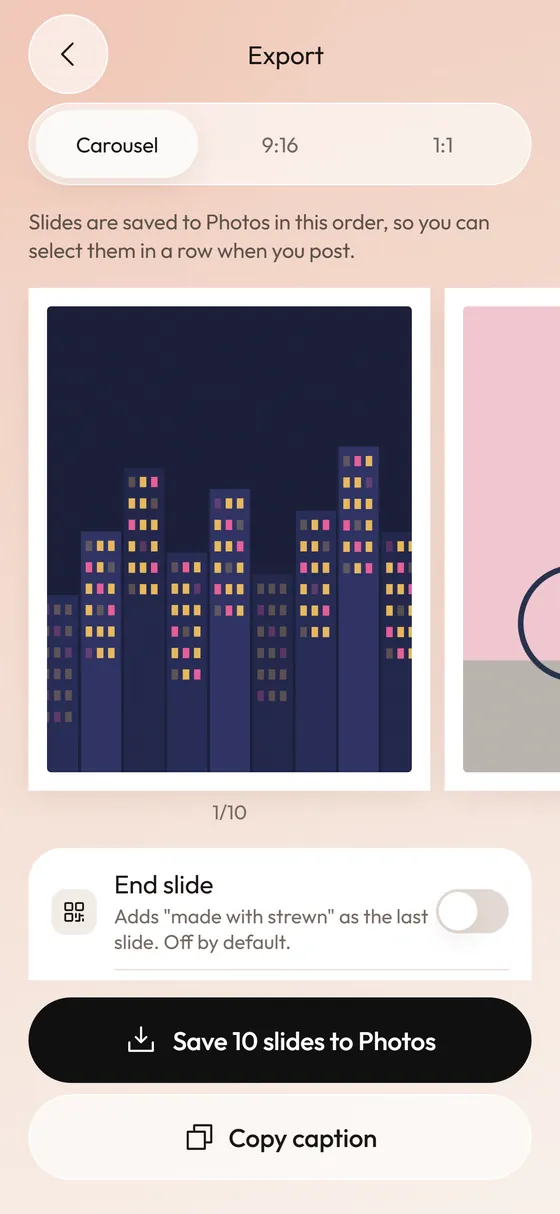 Photo Dump Carousel and Collage Export for StoriesCarousel slides, a 9:16 teaser and a 1:1 collage.Photo Dump Instagram StorySizes, layouts and a teaser approach for dump-style Stories.Instagram Carousel Size and Aspect Ratio in 2026Pixel sizes for 4:5, 3:4 and 1:1 carousels and how to avoid surprise crops.Best Photo Dump Apps for iPhoneSCRL, Crsel, SwipeMix, SelfieDump and Strewn compared by approach, iOS version and rating.