 Strewn
Why your photos look blurry
Photos look blurry mostly because of compression and resizing. Export at 1080 pixels wide in one consistent ratio, use JPEG, turn on the highest quality upload setting and avoid posting screenshots or heavily edited copies. Those four moves fix most soft-looking posts.
Coming soon to iPhone
Why do my photos look blurry after upload?
The social app shrinks and recompresses every photo to save bandwidth. The feed displays images at about 1080 pixels wide, so a larger original is scaled down, and the file is compressed with a lossy JPEG setting. Two effects can make the result look soft: the downscale itself, and the loss of fine detail that compression removes first. Textures like grass, hair and text suffer the most.
You cannot turn compression off, but you can give the platform a file that needs less change.
What size should I upload?
1080 pixels wide. If your photo is wider, the social app shrinks it. If it is much narrower, the social app enlarges it, and enlarging always costs sharpness. For the height, follow the ratio: 1350 for 4:5, 1440 for 3:4, 1080 for square. The carousel size guide lists the shapes in a table.
How do I fix it step by step?
Go through the list in order:
- Open settings and find the media quality option, then turn on the upload at highest quality choice. The wording shifts between versions.
- Export or prepare photos at 1080 pixels wide.
- Use one ratio for every slide of a carousel.
- Save as JPEG, not as a screenshot of the editor.
- Avoid applying the same filter twice.
- Upload on a stable connection, since a weak one may trigger lower quality.
Does HEIC cause blur?
Not by itself. iPhones shoot in HEIC by default, which stores a photo in less space than JPEG, and apps convert it when they upload. The conversion adds one more lossy step if an app handles it poorly. If you want fewer surprises, open Settings, Camera, Formats and choose Most Compatible to shoot JPEG, or export JPEG from your editor.
Are screenshots a problem?
Yes. A screenshot of an editor or of a photo on screen is a copy of a copy. It has the resolution of your display, includes interface elements and loses detail. If you need a photo of a design, export it directly. Strewn renders each slide off screen on its own at 1080 pixels wide instead of capturing the editor screen, which keeps the output clean.
Why do carousels look worse than single photos?
Two things. First, mismatched slide sizes force the platform to crop or scale some slides, which softens them. Second, a carousel loads several images at once, and on weak connections the app may show a lower resolution first. Keep every slide the same ratio and the same width, and the second issue fades once everything loads.
Does editing reduce quality?
Every time a photo is saved as JPEG after an edit, it loses a little. Apply edits once from the original, not on top of a previous export. Avoid heavy sharpening. Oversharpened photos show halos that compression turns into smudges. Strewn does not edit pixels. It reads sharpness to rank photos, then frames them and exports.
Does blur ever help a dump?
On purpose, yes. A dump benefits from one loose slide that tells viewers the week was real. Strewn places the loosest readable photo in the chaos slot, usually slide 4, and you can swap it any time. That is a creative blur, and it is different from accidental softness. A soft photo with a clear subject and feeling works. A smeared one does not.
Read the order guide for where to place it.
How can I tell if a photo is sharp before I post?
Zoom to 100 percent in Photos and look at an eye, a letter or an edge. If the edge has a clear transition, it is sharp enough. Strewn does a version of this with a Laplacian filter on a 64-pixel preview, which gives a sharpness score that it uses for the opener and for picking among burst frames. It is a ranking help, not a quality guarantee.
What is the difference between sharp, soft and blurry?
Sharp means edges have a clean transition. Soft means edges have a gentle transition, often from shallow depth of field or a gentle lens. Blurry means detail is smeared by motion or missed focus. Compression adds a fourth look, a mushy texture with visible blocks. Telling them apart helps you fix the right thing: a soft portrait is a style choice, a mushy texture is an upload problem, and a smeared one is a shooting problem.
Which shooting habits keep photos sharper?
Tap to focus on your subject, hold the phone with two hands, and wait for a half second after you tap. In low light, rest your elbows on something firm or prop the phone against a table. Wipe the lens, since a smudged lens is the most common reason for a hazy iPhone photo. These habits matter more than any upload setting.
How does this apply to a photo dump?
A dump forgives some softness, but not all. Ranking photos by sharpness is a quick way to choose openers and to decide which of ten burst frames survives, and a few softer ones fit the detail and breather roles. Keep your sharpest, boldest photo for slide 1, where compression will be most visible on a large display.
Do I need a special app to export?
No. Any tool that exports a JPEG at 1080 pixels wide will do, including the Photos app, which lets you crop to a ratio and share or save a result. What matters is that every slide in a carousel is prepared the same way. Strewn does this for a dump by rendering each slide in one frame at 1080 pixels wide, so you do not have to repeat the same crop ten times.
The export page lists the sizes for each format.
What about videos in a carousel?
Videos get compressed harder than photos, and a soft video next to a sharp photo is noticeable. Trim clips short, shoot them in good light and avoid digital zoom. If a clip is not essential, leave it out and keep the carousel photo-only.
What if everything still looks soft?
Compare one post with a friend's, on the same phone. If theirs looks crisp, check your upload settings and export size again. If both look soft, the culprit is likely the viewing connection or the display. Posting in the evening on a good Wi-Fi network often looks different from posting on a train.
Frequently asked questions
Why are my photos blurry?
The social app resizes and compresses uploads. Odd sizes, screenshots and heavy edits make the loss more visible.
What is the best size for photos?
1080 pixels wide, for example 1080 by 1350 for a 4:5 portrait.
Should I shoot in JPEG or HEIC?
Either works, but JPEG removes one conversion step. Choose Most Compatible under Settings, Camera, Formats.
Does Strewn change photo quality?
It resizes its working copies to 1600 pixels on the long side and exports slides at 1080 pixels wide. It never changes your originals.
Can a blurry photo be intentional?
Yes. A single loose slide near slide 4 gives a dump a real feel.
Keep exploring
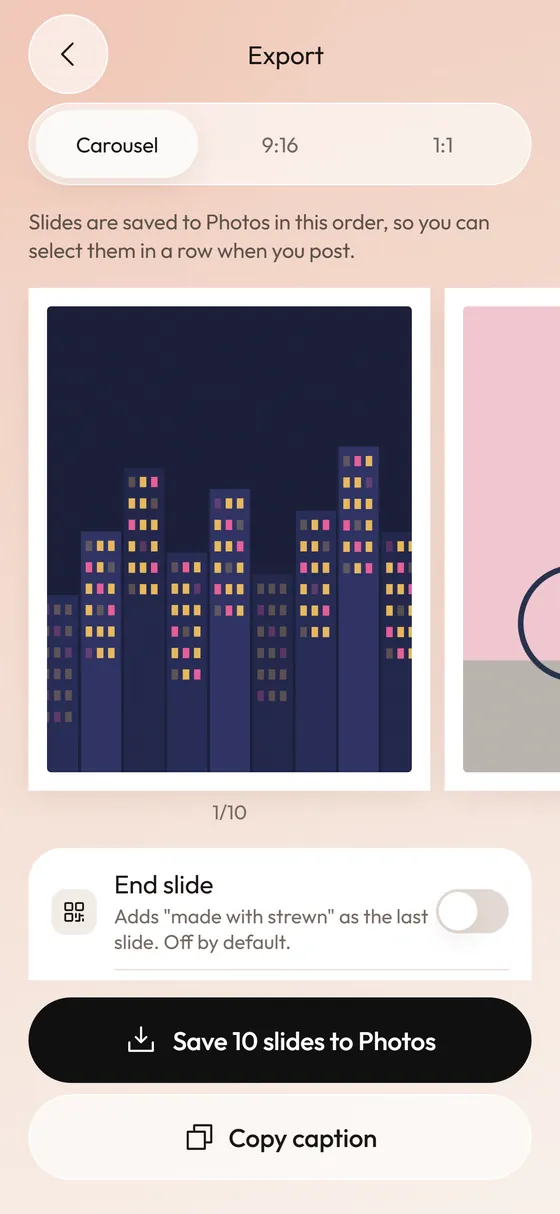 Photo Dump Carousel and Collage Export for StoriesCarousel slides, a 9:16 teaser and a 1:1 collage.How to Post a Photo Dump in the Right OrderA short routine for posting a carousel in the order you planned.