 Strewn
Strewn vs SwipeMix: templates or order?
SwipeMix makes swipeable carousels, panoramas that span several slides, collages and story templates. Strewn skips the template canvas and works on the choice and order of 10 to 60 photos, with a reason for each slide. Facts below are as of October 2026.
Coming soon to iPhone
What is the main difference?
SwipeMix is a layout tool. You pick a template or a blank canvas, place photos, and the app helps you create a post, including a panorama that runs across slides. Strewn is a curation tool. It takes the photos you choose, sorts them, folds near-twins and frames each slide the same way, then leaves captions and posting to you.
SwipeMix facts come from its US App Store listing, retrieved on October 10, 2026. Strewn is in development and has no listing yet.
How do they compare?
The table uses listing details for SwipeMix:
| Strewn | SwipeMix | |
|---|---|---|
| Starting point | Photos you pick | Templates or blank canvas |
| Ordering help | Story arc, Timeline, Color flow, Shuffle | Not described on its listing |
| Panorama across slides | No | Yes |
| Templates | Four collage layouts per format | Dozens for feed and stories |
| Text and fonts | Serif title toggle on collages | Extensive fonts library |
| Near-duplicates | Folded into Set aside | Not described on its listing |
| Rating | Not on the App Store yet | 4.80 from about 5,900 ratings |
| Listed since | Not yet | July 2019, version 2.14.0 in September 2026 |
| Min. iOS | Not stated | 16.0 |
What does SwipeMix do better?
Panoramas and template variety. A single wide image that flows across slides is a look Strewn does not offer, and it suits landscapes and group shots. SwipeMix has years of updates behind it, a large template library for both feed posts and stories, a fonts library and tools to rearrange and resize everything. It supports 11 languages per its listing. If you want a styled post, it covers a lot of ground.
What does Strewn do better?
It removes the sorting work. After you pick photos, Strewn offers a complete order with roles: Opener, Breather, Chaos slot, Detail, Energy and Closer. It reads sharpness, light and color on the phone and folds near-twins, keeping the sharpest and parking the rest in Set aside with a badge. The result is a dump you can edit slide by slide, not a layout to arrange. See photo dump order for the thinking.
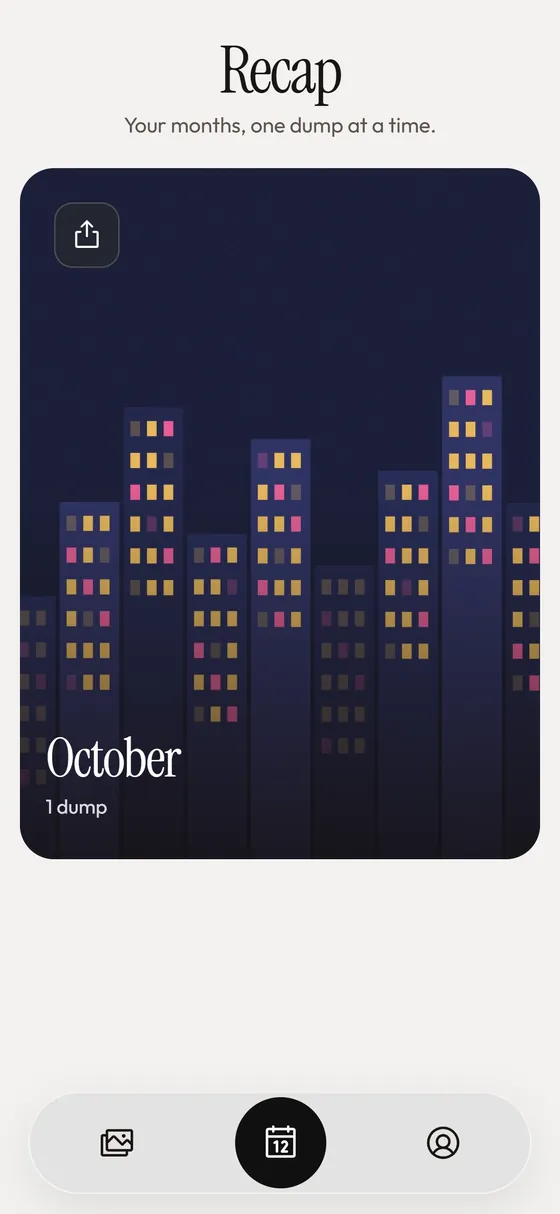
Strewn also provides a weekly reminder, a streak of dumped weeks and a monthly recap collage, which suit a regular posting habit. Details are on the Sunday dump page.
Which photo types suit which app?
A rough guide:
- Wide landscapes and group shots: SwipeMix panoramas.
- A week of mixed photos: Strewn.
- A product or lookbook with text: SwipeMix templates.
- A birthday or trip with many near-identical frames: Strewn.
- A story with a brand color scheme: SwipeMix.
How about privacy and accounts?
Strewn has no account, no analytics and no network calls of its own, and sees only the photos you pick. Check SwipeMix's App Store privacy label for what it collects, since design apps often differ in what they ask. Strewn's own notes are on the privacy feature page.
How do the workflows differ in practice?
In SwipeMix you choose a template for a feed post or a story, swap in your photos and adjust text, spacing and layout until it looks right. Panorama mode lets one image run across several slides. In Strewn you pick photos, wait a few seconds while it reads them, and open an editor with a proposed order. You then tweak the order, write a caption and export.
The first is a design flow where you control each element. The second is a curation flow where you control which photos appear and where.
Which one suits a regular posting habit?
If you post a dump every week, the sorting step is the part that repeats, and a reminder and archive help. Strewn has both: a local weekly reminder, a streak of dumped weeks and an archive of past dumps. SwipeMix lists a template library that is updated regularly, which suits people who change designs often. Think about whether your bottleneck is looks or choices.
Who should pick which?
Pick SwipeMix when the post is a designed object. Pick Strewn when the hard part is deciding what goes where and in what order. For a wider look at the category, see the photo dump apps roundup and photo dump vs carousel.
Frequently asked questions
Does Strewn make panoramas?
No. Each slide is its own photo in one frame. SwipeMix lists panorama carousels.
Is SwipeMix free?
It is listed as free to download on the US App Store as of October 2026. Check the listing for in-app purchases.
Which app is better for a casual dump?
Strewn is aimed at picking and ordering casual photos. SwipeMix is aimed at designed carousels.
Does Strewn have text and fonts?
Only a serif title toggle on collages. Captions are written separately and copied to the clipboard.
Is Strewn on the App Store?
Not yet. It is in development as of October 2026.
Keep exploring
 Weekly Photo Dump Reminder, Streak and Monthly RecapOne weekly reminder, a weeks-in-a-row streak and a monthly recap.Photo Dump vs CarouselCarousel is the container. Photo dump is a casual way of filling it.