 Strewn
How to make a photo dump for Instagram Stories
A photo dump Instagram Story is either a collage of several photos on one 9:16 frame or a sequence of Story slides. The 9:16 frame is 1080 by 1920 pixels. Collages of four to nine photos read well, and a single teaser Story is a good way to point people at your carousel.
Coming soon to iPhone
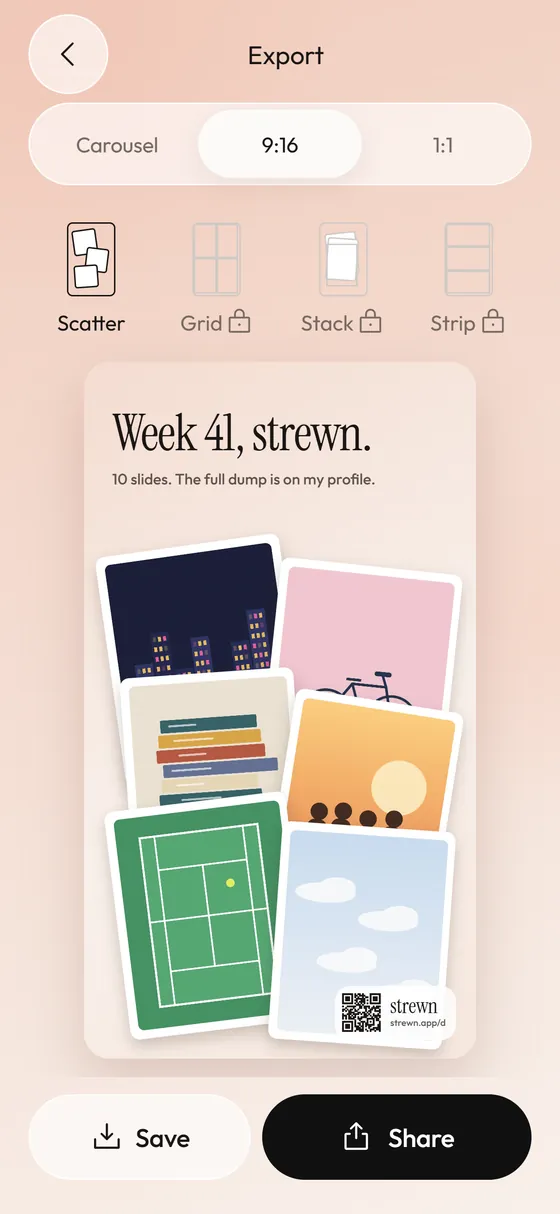
What size is an Instagram Story photo dump?
Stories use a vertical 9:16 frame. The usual canvas is 1080 by 1920 pixels, which matches the aspect ratio) of most phone screens. Keep faces and text away from the very top and bottom, because the interface covers those strips.
Strewn's Stories format renders at 1080 by 1920, drawn off screen and saved as a PNG that you can share or save to Photos.
What are the ways to do a dump in Stories?
There are three common approaches, each with a different feel:
| Approach | How it looks | Best for |
|---|---|---|
| One collage Story | Several photos on one 9:16 frame | A quick recap or a teaser |
| Slide-by-slide Stories | One photo per Story, 3 to 10 in a row | A day or an event as it happened |
| Sticker pile | Photos stacked and tilted with the photo sticker | A messy, scrapbook feel |
How many photos fit in one collage Story?
Four to nine. Fewer than four wastes the frame, and past nine the pictures get too small to read on a phone. In Strewn the 9:16 layouts hold a fixed number of photos: Scatter 6, Grid 6, Stack 7 and Strip 4. Scatter is included on the free plan, and Grid, Stack and Strip are in Pro.
The photos come from the first slides of your dump, or from the order you set in the collage screen. Tap two photos to swap them, or use Shuffle.
How do I make a teaser Story for my carousel?
A teaser shows part of the post and sends people to it. The routine takes about a minute:
- Finish your carousel and order it first.
- Open Export and choose the 9:16 tab.
- Pick a layout and decide spacing, corners and a background such as Peach, White, Blush, Sage or Ink.
- Optionally turn on the serif title, for example Week 41, strewn.
- Share or save the image, then add it to your Story.
- Post the carousel, then add a link sticker or a mention in the Story that points to it.
Which layout should I choose?
Match the layout to the mood. A grid feels tidy and works for food, outfits or objects. A scatter feels like photos dropped on a table and suits trips and nights out. A strip stacks four frames as a film strip and reads as a story in miniature. A stack overlaps photos in a pile.
Spacing and corners change the tone too. Wide spacing with round corners reads soft and friendly, while no spacing with square corners reads like a contact sheet.
What do I put in the Story text?
Very little. A date, a place or three words are enough, since the photos do the talking. The Story is a trailer, and the caption belongs under the carousel. If you want prompts, dump caption formats show short styles that work.
Strewn leaves caption text off exported images. You can write the words in the Story editor of the social app.
What does the free collage include?
Free collages carry a small strewn wordmark and a QR code that opens strewn.app/d. Pro lets you switch the mark off. Carousel slides never carry a mark. The behavior is described on the export page.
Can I post the Story automatically?
Not from Strewn. It does not post or schedule for you. It saves images to Photos or opens the iOS share sheet with the collage and a short line of text, and you finish in the app you post to.
What mistakes should I avoid?
These are the common ones:
- Putting text in the top 250 pixels or the bottom 250 pixels, where the interface can cover it.
- Using a dozen tiny photos so no face reads.
- Posting the teaser after the carousel instead of before, which delays the click.
- Using a busy background behind busy photos.
- Forgetting that a free collage has a small mark and a QR code if you want a clean look.
How do I do a day-in-the-life dump in Stories?
A Story sequence suits a day or an event as it unfolds. Shoot as you go, and add a photo to your Story every hour or two. At the end of the day, the sequence is a dump without any layout work. The rhythm rule still applies: mix wide and close, bright and calm, and let one slide be off.
The downside is that Stories disappear after 24 hours unless you add them to a Highlight. If you want the dump to last, make a carousel from the same photos in the evening. The Story is the live version and the carousel is the archive.
What is a good order for a collage?
Think of the collage as a single slide with a strong opener position. In a grid or a scatter, the eye lands near the top left or the center first. Put the sharpest, boldest photo there. Spread the calm photos around it and keep the loosest frame toward the bottom. Strewn takes photos from the first slides of your dump in order, so the opener becomes the first photo in the layout, and you can swap two photos by tapping them.
Should the Story match the carousel?
It should rhyme with it. Use the same border color or the same background, and take the photos from the same dump. A viewer who sees a cream Story and then a cream-bordered carousel understands they belong together. Strewn offers Peach, White, Blush, Sage and Ink backgrounds for collages, so you can choose one that sits near your slide border.
How often should I post a teaser?
Once per dump, a few minutes before or after the carousel. Repeating the same teaser day after day tires followers, and it also teaches them to skip it. If you post a weekly dump, the Sunday routine is a natural time for both.
Can I add music or stickers to a collage Story?
Yes, but in Instagram. Strewn exports the image and nothing else. After you add the image to a Story you can place a music sticker, a location or a mention using the tools in the social app. Keep stickers away from faces, and leave room around the edges so the collage stays readable.
How does this relate to the main post?
The Story is the trailer, the carousel is the film. Use the same photos in the same order so people who tap through recognize the post. The Instagram posting guide covers the carousel side.
Strewn is in development and not on the App Store yet. The routine works with any collage tool, as long as you keep to 1080 by 1920.
Frequently asked questions
What size is an Instagram Story?
1080 by 1920 pixels, an aspect ratio of 9:16. Keep key content away from the top and bottom edges.
How many photos should a Story collage have?
Four to nine. Below four the frame feels empty, and above nine the photos get too small.
Should I post a photo dump to Stories or the feed?
Both work together. The carousel goes in the feed, and a collage Story acts as a teaser pointing to it.
Does Strewn post Stories for me?
No. It saves images or opens the share sheet, and you post in the other app yourself.
Do collages from Strewn have a watermark?
On the free plan they carry a small wordmark and QR code. Pro removes them. Carousel slides never have one.
Keep exploring
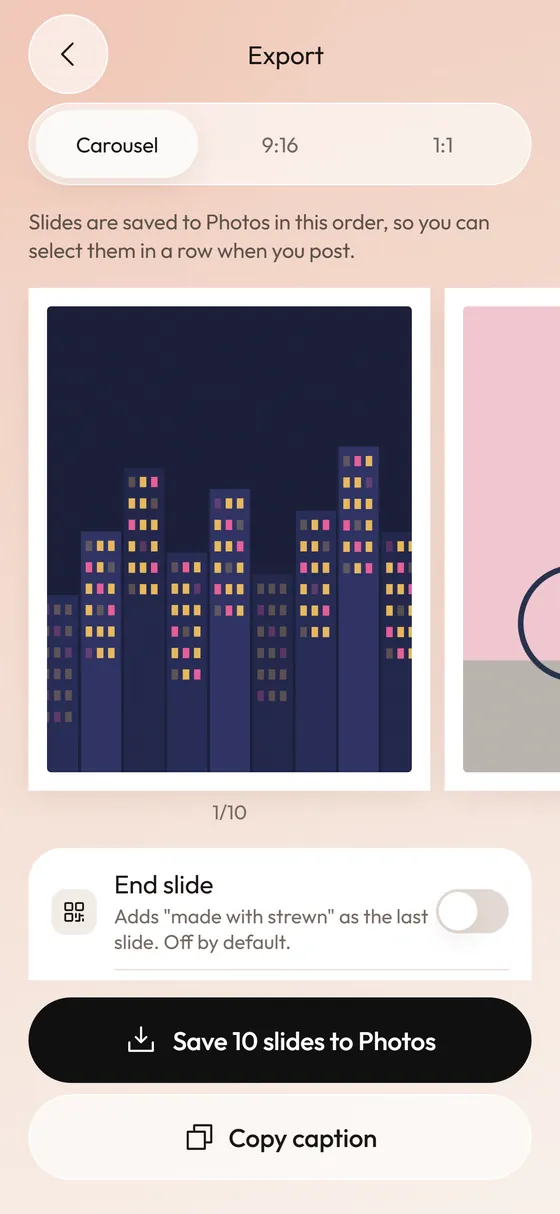 Photo Dump Carousel and Collage Export for StoriesCarousel slides, a 9:16 teaser and a 1:1 collage.How to Post a Photo Dump on Instagram in the Right OrderA short routine for posting a carousel in the order you planned.
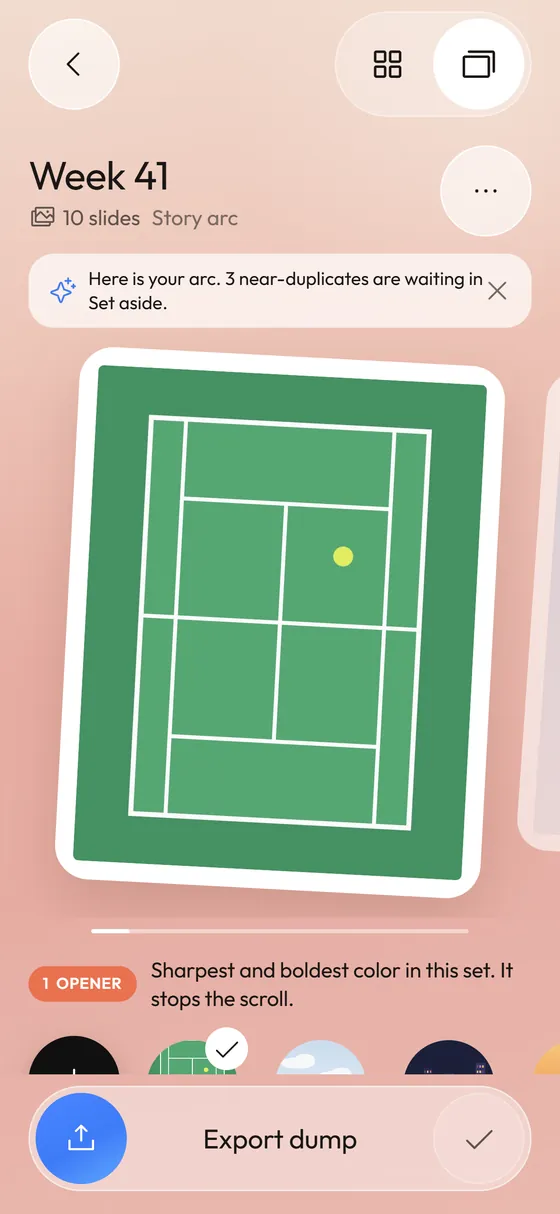 Photo Dump OrderA slide-by-slide order template for a 10-photo dump.Best Photo Dump Apps for iPhoneSCRL, Crsel, SwipeMix, SelfieDump and Strewn compared by approach, iOS version and rating.