 Strewn
Strewn vs Crsel: ordering or designing?
Crsel is a design app for carousels, collages, stories and Reels covers, with aligned frames and an AI cutout tool. Strewn is a sorting app that proposes a story-arc order for the photos you pick and explains each slide. They solve different halves of a photo dump. Facts are as of October 2026.
Coming soon to iPhone
What is the main difference?
Crsel starts from templates and a canvas. You place photos, text and cutouts across several frames so the slides connect visually. Strewn starts from your camera roll. It reads sharpness, light and color from small previews, folds near-twins, proposes an order and frames every slide alike. One helps you make a post look designed, the other helps you decide what the post contains.
Crsel facts come from its US App Store listing on October 10, 2026. Strewn is in development and has no listing yet.
How do they compare?
Here are the main points:
| Strewn | Crsel | |
|---|---|---|
| Starting point | 10 to 60 photos picked | Templates and a blank canvas |
| Ordering help | Story arc, Timeline free; Color flow, Shuffle in Pro | Not described on its listing |
| Near-duplicates | Folded into Set aside | Not described on its listing |
| Design tools | Frame shape, border, collage layouts | Templates, text, aligned carousels, story and Reels cover designs |
| Cutout tool | No | AI background removal |
| Photo editor | No | Not described on its listing |
| Rating | Not on the App Store yet | 4.83 from about 6,100 ratings |
| Languages | Not stated | 14 per its listing |
| Min. iOS | Not stated | 17.0 |
What does Crsel do better?
Design. It offers collage and story templates, carousel layouts that continue across frames, and a Reels cover designer, so a feed can share one look across formats. The cutout tool lets you layer people or objects over textured backgrounds. It has been listed since August 2025, and version 1.5.6 was updated on October 7, 2026, so it is actively maintained. If your goal is an editorial, branded look, it is the stronger tool.
What does Strewn do better?
The decisions before design. A dump from 140 photos needs a cut and an order, and Strewn does that first pass. It opens with the sharpest, boldest photo, rests the eye, places one loose frame around slide 4 and ends warm and quiet, each with a reason you can read. It saves every slide at 1080 pixels wide in one frame, in dump order, so tapping them in Instagram is mechanical. See the order feature and the export page.
Strewn also leaves your caption to you, with six prompts and three formats, and keeps photos on the phone with no account.
Are they competitors?
Only partly. Many creators could use both: Strewn to choose and order ten photos, then a design app to build a special post from them. If you do not want to design anything, Strewn alone gets you to a clean carousel. If you want a branded layout, start with Crsel and bring your own order. The Strewn vs SCRL page covers a similar split.
Who should pick which?
Use these rules:
- Pick Crsel for templates, connected frames, story and Reels cover design and background cutouts.
- Pick Strewn if sorting 140 photos into 10 is the slow part.
- Pick Strewn if you want a casual look with a deliberate loose slide.
- Pick Crsel if you are building content for a brand or a portfolio.
How do the workflows differ in practice?
With Crsel, a typical session starts by choosing a template or a blank multi-frame canvas, dropping photos in, adding text and checking the swipe preview so elements line up across frames. The result is a designed object, and the time you spend is design time. With Strewn, a session starts at the photo picker, runs a short sorting step, opens an editor on a finished dump and ends in Export. The time you spend is deciding which slides to keep and which one to swap.
Neither approach is faster in general. A branded post takes longer in any design tool, and a casual dump takes a few minutes with a sorting tool. Match the workflow to the post you want to make.
What about the look of the result?
Crsel leans editorial: layered collage elements, styled text, backdrops. Strewn leans plain: each photo sits in a 4:5 frame with a white border on the free plan, with cream and black borders and 1:1 or 3:4 shapes in Pro. Neither look is better. A plain frame suits the casual tone of a dump, and a layered style suits content that is meant to look made.
How about cost?
Both list as free to download on the US App Store as of October 2026. Crsel's listing text does not say what, if anything, is paid. For Strewn, the pricing page lists what is free and what Pro adds, and prices appear in the app from the App Store.
Frequently asked questions
Is Crsel a photo dump app?
Its listing mentions photo dumps among uses, but it is mainly a design app for carousels, collages, stories and Reels covers.
Does Strewn have templates?
Not design templates. It has one consistent frame for slides and four collage layouts per format.
Which app orders photos for me?
Strewn does, using a story arc with a reason per slide. Crsel's listing describes design tools, not ordering.
Can I use both apps?
Yes. Order the photos in Strewn, then design a special post elsewhere if you want one.
Is Strewn available now?
Not yet. It is in development as of October 2026.
Keep exploring
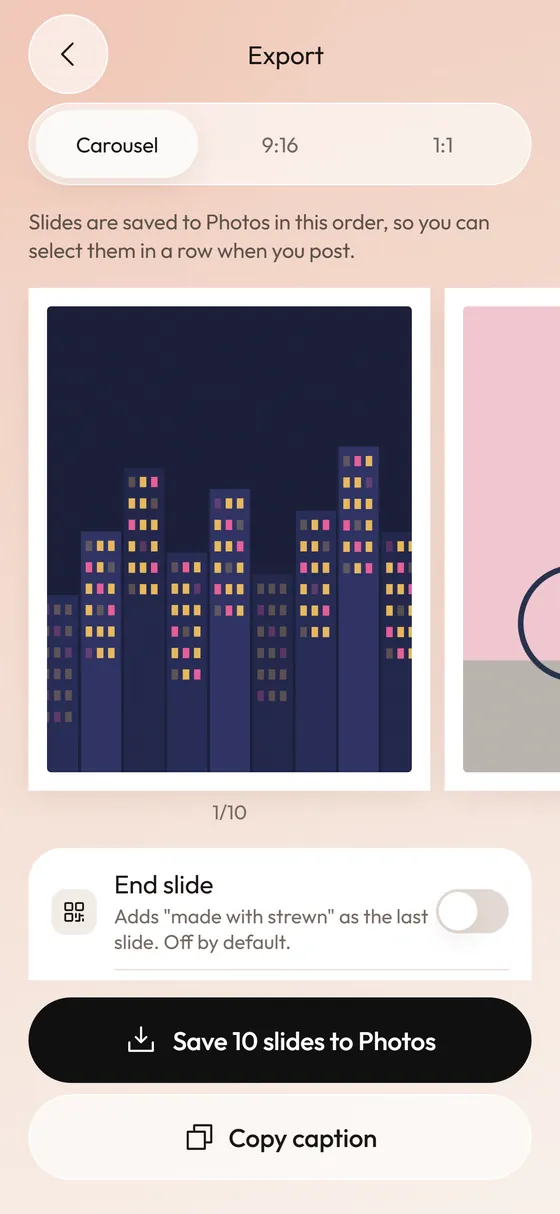 Photo Dump Carousel and Collage Export for StoriesCarousel slides, a 9:16 teaser and a 1:1 collage.Photo Dump vs CarouselCarousel is the container. Photo dump is a casual way of filling it.