 Strewn
Monthly photo dump ideas and how to build one
A monthly photo dump is a recap of about ten to fifteen slides, built by taking one or two high points from each week and ordering them for rhythm. Open with the best photo of the month, move through the weeks in order, and close on a calm frame from the last days.
Coming soon to iPhone
What is a monthly photo dump?
It is a photo dump whose period is a month. Instead of showing one week of ordinary life, it picks the best of thirty days. The tone is similar, with casual photos and a loose slide, but the structure is more like a short story with chapters. People post them on the last day of the month, or on the first, often with a caption like the month's name and a few words.
If you do not know the base format, start with what a photo dump is.
How do I pick photos from thirty days?
Do it in two stages. First, from each week choose its best three to five photos, so you end with fifteen to twenty. Second, cut that to the length you want. If you already make weekly dumps, the shortcut is to start from them. Reopen each week's dump and take its opener plus one more slide. Strewn keeps your past dumps in the archive, so they are easy to revisit.
The New dump screen in Strewn offers a This month period as a Pro option, which sets up a dump that spans the whole month.
What is a good structure?
This template gives a month a clear shape:
| Slides | Content |
|---|---|
| 1 | Best photo of the month |
| 2 to 4 | Week one: two or three highlights |
| 5 | The loose slide |
| 6 to 8 | Week two and three highlights |
| 9 to 11 | Week four highlights |
| 12 | Calm closer from the last days |
Should the order be chronological?
Mostly. A month reads well as a journey, and following the calendar keeps the story honest. Use the arc rules only at the edges: the strongest photo first, the warmest and quietest last. Strewn's Timeline vibe gives the base order from capture times, and you can then move your favorite frame to slide 1 with Swap.
If your month had a theme, such as autumn color, Color flow in Pro is an alternative that sorts by hue. See the aesthetic dump guide.
What does the Strewn recap show?
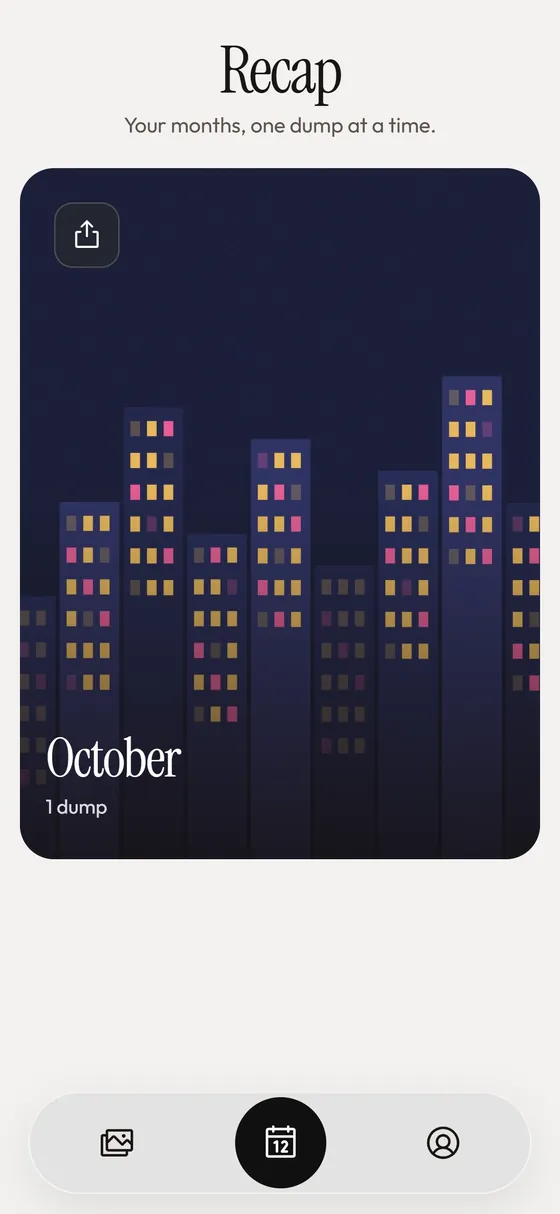
The Recap tab groups your dumps by month. Open a month and you see a full-bleed cover from that month's newest dump, the month's name in a serif headline, a short list of dump titles and one line of counts for dumps, slides and chaos slots. Below it is a 9:16 recap collage. Sharing it is a Pro feature, and free users see the paywall at that tap. It is built from dumps already on the phone, with nothing fetched from anywhere.
What ideas fit a monthly dump?
Beyond the best photos, a few structures help:
- One photo per week, same place, to show change.
- Firsts of the month: first coffee, first rain, first snow.
- A food diary: the best bite from each week.
- People you saw, one per week.
- Colors of the month, sorted by hue.
- Screens: a playlist, a text, a map, a receipt.
How long should it be?
Ten to fifteen slides is typical. A quiet month can fit in eight, and a busy one may reach twenty with a Pro limit or an account that accepts a longer carousel. See how many photos a dump needs. Think in chapters of four or five, and give each its own high point.
What caption works for a recap?
Name the month and add three to five words or a list of what happened. A numbered caption that mirrors the slides is useful here, since it lets viewers match words and photos. Strewn can format your lines as a list, a numbered list or one line, and shows a live preview before you copy. Nothing is generated, so the words stay yours.
Should I share it to Stories as well?
A 9:16 recap collage works as the Story version. Strewn's collage can add a serif title and a choice of background such as Peach, Sage or Ink. Post it the same day as the carousel. See the Stories guide.
What if I skipped weeks?
Then the monthly dump rescues the month. Go through the camera roll week by week and pick the best of each, even if you never made a dump for it. You will usually find more than you expect. A monthly recap is forgiving, and it is a good restart for a habit that lapsed.
How do I choose the opener for a month?
Scroll the month once with a single question: which photo would I show first to someone who asked how my month went? It does not have to be the biggest event. It should be sharp, colorful and clear at thumbnail size. If two photos compete, put one first and the other at slide 6, where it acts as the start of the second half.
Strewn ranks openers by sharpness, saturation and mid-range light, and its monthly recap uses the best opener of the month for the cover, so the same photo can lead both your post and your recap.
What if the month had one big event?
Give the event a cluster of three or four slides and keep the rest of the month around it, instead of letting it take over. A wedding or a trip can be a post on its own. The monthly dump can include a single image from it, with a link in the caption to the full set.
How do I keep a monthly dump from feeling like an ad?
Leave the loose slide in and avoid text overlays on every photo. A recap works as a diary page, so let it have small, ordinary frames beside the big moments: a half-finished meal, a rainy window, a crowded train. They make the big moments feel earned. A polished, all-highlights month looks like a brochure.
When should I post it?
On the last day or the first two days of the next month. Beyond that, the recap feels stale. If you use a reminder, the Sunday nearest the month's end is a natural moment, and the Recap tab in Strewn already groups dumps by month, so the material is waiting.
How do I decide between weekly and monthly?
Try both for two months. Weekly gives you a habit and more chances to be seen. Monthly gives you better photos and a stronger story. Many people do weekly dumps privately and post only a monthly one, which is possible in Strewn since the archive keeps past dumps on the phone. Read the weekly routine for the details.
Frequently asked questions
What is a monthly photo dump?
A recap post of the best photos from a month, usually ten to fifteen slides, built from weekly highlights.
How do I build one?
Take the best three to five photos from each week, cut to the length you want and order them mostly by date.
Does Strewn have a monthly recap?
Yes. The Recap tab groups dumps by month with a cover, a list of titles and a 9:16 recap collage. Sharing the collage is a Pro feature.
Can I make a dump for a whole month in Strewn?
This month is a period option on the New dump screen and is a Pro feature.
What caption works for a monthly dump?
The month's name plus a short list of words or a numbered list that matches the slides.
Keep exploring
 Weekly Photo Dump Reminder, Streak and Monthly RecapOne weekly reminder, a weeks-in-a-row streak and a monthly recap.Photo Dump OrderA slide-by-slide order template for a 10-photo dump.Photo Dump CaptionsCaption formats and prompts that start fast.